

Cable management in a rental apartment, without drilling, is not really a decorating problem. I wasted about a year treating it as one. When I moved into my third apartment, the internet router sat on the floor in the middle of the living room with three cables running out of it in three directions, one of which crossed the path between the front door and the sofa. I bought a set of adhesive cable clips, a roll of white spiral wrap, and a plastic raceway with a lid, and I put all of it in a drawer within a month, because I had solved the wrong problem. The cable across the walkway was not a cable that needed hiding. It was a cable that needed to not be there, or to be somewhere else entirely.
That distinction is the core of this guide. Most cord management products are built around hiding a cable against a surface, and in a rental you often cannot put it against a surface at all. Once I stopped trying to conceal the cables and started asking three questions about each one, the problem got much smaller and much cheaper. Where does this cable physically rest right now? What is it attached to on both ends? And what is the shortest path between those two points that does not cross a doorway, a walkway, or the place somebody sleeps?
So the approach I actually use now has two halves. The first half is moving the endpoint, because a cable that runs from a router on the floor to a desk six feet away has to cross three feet of floor no matter what you do to it, and the only way to remove that is to move the router or move the desk. The second half is making the cable safe and tidy where it has to stay, which is where the removable products earn their money. Neither half needs a drill, and the first half usually needs nothing you have to buy at all.
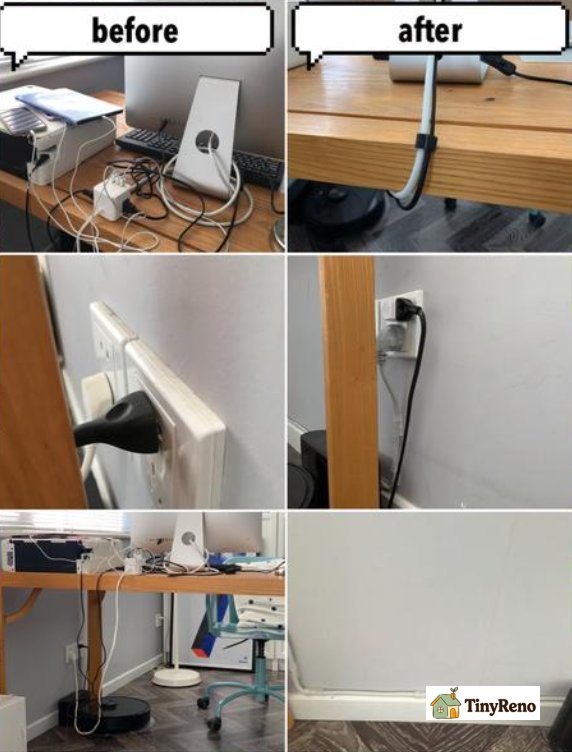
Move the endpoint before you buy anything
The most effective cable management in any space is done by moving the thing at the end of the cable, and it costs nothing and leaves no mark. I moved the router from the middle of the floor to the top of the bookcase, which is a corner that already had an outlet near it, and that single change removed two of my three floor cables. I then moved the bedside lamp from behind the sofa to a small table, and the third cable stopped existing, because there was nothing left for it to do. None of this is clever. It is just the question that people skip because they have already decided that the answer is a product.
There is a reason to think about this in terms of endpoints rather than cables, and it is that a cable is only a problem where it crosses space. That is the whole idea in one line, and it costs nothing to test. A cable running behind a piece of furniture, along a baseboard, or inside a gap between two walls is usually not a trip hazard and is often invisible, so it is usually not a problem. The same cable running across open floor is a problem whether it is black or white, whether it is braided or plastic, and whether it has a nice sleeve on it. The property that matters is the path, and the path is set by where the two ends are.
Before you buy anything, take a walk through the apartment at night with a torch and look at where the cables actually are. You will find that most of the visual mess is in two or three specific places, and that those places are usually near a power outlet. That is the useful part, because it tells you that moving a piece of furniture three feet often fixes it, and that is free, reversible, and does not touch the walls. It also tells you which outlet is doing the work, and if one outlet is serving four devices, that is worth knowing before you plan any clips.
One more endpoint move that people overlook: the power brick itself. A power brick that sits on the floor in a walkway is both a trip risk and the thing that makes the cable from the wall to the router long enough to be a problem in the first place. If the brick can live on top of the unit it feeds, the cable becomes a short drop behind furniture instead of a long run across a room, and the run disappears. That is the single highest-value change in this entire guide and it usually costs nothing.
Making a cable safe where it has to stay
Some cables cannot be moved, and for those you have to work with the path. This is where the removable products are genuinely worth buying, and this is where the advice usually goes wrong, because it recommends adhesive wall solutions to people who then either damage the paint or leave the adhesive up for a year and get a deduction. Let me rank the options by how much damage they do to the deposit, worst first:
- Worst: screw-in raceway or cable box screwed to the wall. It leaves holes that need filling and filling is not a tenant job.
- Next worst: adhesive-backed wall raceway. It can lift the paint, and the moment it does that it is your problem even if you used a product sold as removable.
- Next: a cord cover that sticks to the floor. Usually fine on bare flooring and can tear a rug.
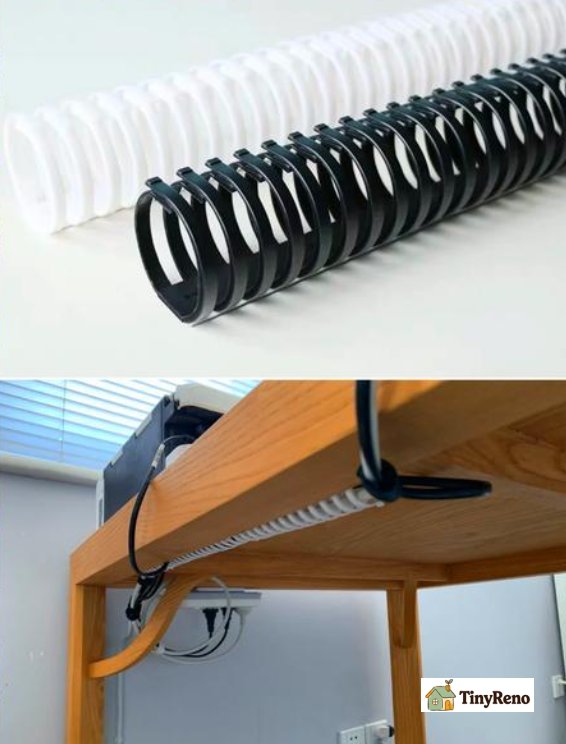
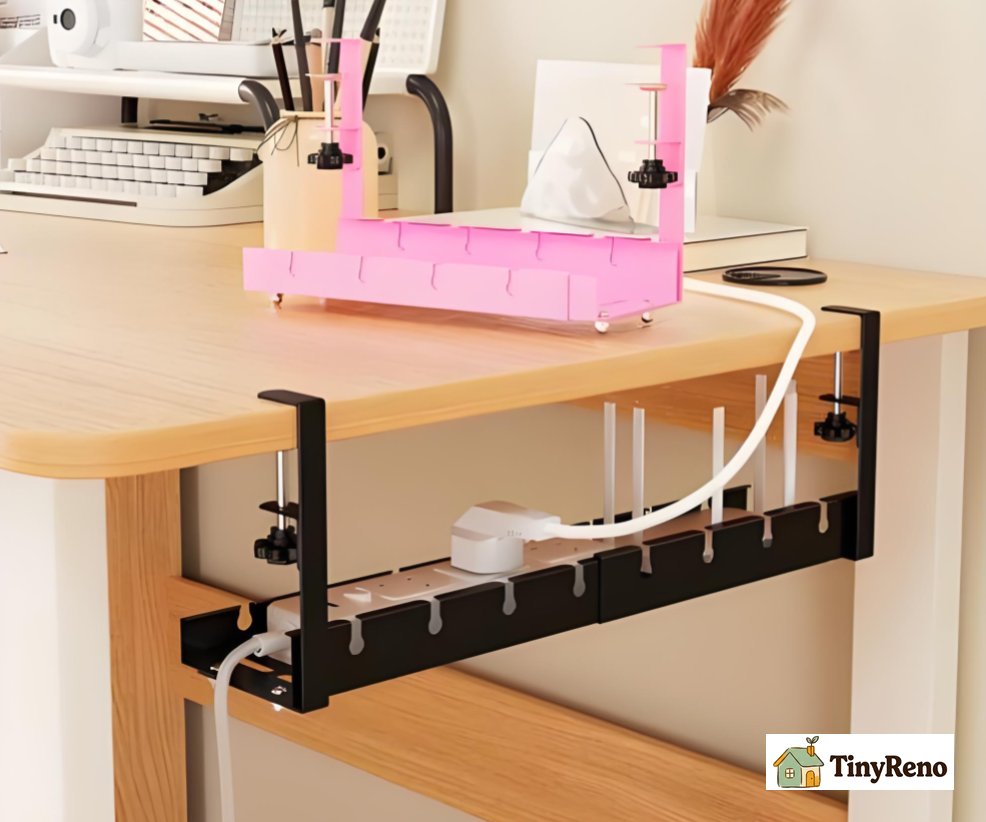
- Safest of all: anything that touches no wall and no floor finish. A weighted base that holds the power brick in place, a fabric sleeve that bundles several cables into one soft rope, a clip that hooks over the edge of a desk or a table leg, and a flat floor cover that simply lies over the cable.
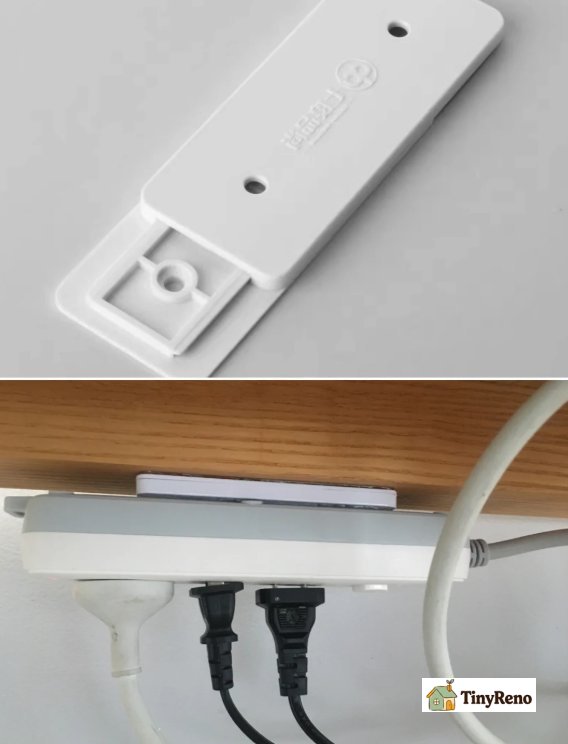
The reason the weighted base is the one I would buy first is that it solves the problem that actually causes cables to move. If you only buy one thing, buy that one. A power brick on bare floor slides every time somebody walks past it, and a sliding brick drags its cable, and a dragged cable is what ends up across a doorway two months later. Give the brick somewhere heavy to sit and the cable stops moving, and then you can decide whether the remaining length even needs managing. My rule is that if a cable will not stay where you put it, you do not need a clip, you need weight on the end of it.
And the sleeve is worth it for a different reason than people think. A sleeve does not solve a routing problem, it solves a bundling problem, and bundling matters because several cables running in the same direction along a baseboard are individually fine and collectively are a nest of dust you cannot clean behind. One fabric sleeve over four cables makes the whole run look deliberate, and it costs a few dollars, and it is the one product here that improves the look of a rental without touching anything you might be charged for.
What to do about the cables you did not install
This is the module that got missed in most of the advice I read before I started doing it myself, and it is the one that matters most in a rental with a landlord. Your own cables are the ones you chose, and you can move them whenever you like. The ones somebody else fixed are not yours to reorganise, they are the ones that create a deposit argument, and they are almost always the reason a room looks worse than it needs to.
Start by working out which cables you actually own. In most flats it is a short list: the router, the television, a lamp, a console, a phone charger. Anything that was already there when you moved in, anything stapled to the baseboard, and anything running to an outlet you have never touched belongs to the building. My rule is simple and has worked for me. If you would not be comfortable explaining to the landlord why you changed it, leave it alone.
Once you have separated yours from theirs, the tidy-up gets much easier, because the landlord's cables are the ones that get a note attached to them rather than a clip. A cable taped down by a previous tenant is not your mess and it is not your job to remove, but it is worth mentioning in your move-in or move-out notes, because a landlord who sees a cable that has been there since before them already knows it is not going to be an argument later. A short line saying that a taped cable was present at the start of the tenancy is a much cheaper piece of insurance than a repair bill at the end of it.
And the thing worth doing that nobody mentions is the inspection. Every few months, get down on the floor with a torch and look at the cables behind the sofa, under the bed, and behind the television unit. What you are looking for is a cable that has been crushed apartment, a plug that is sitting at an odd angle, a brick that is half swallowed by a rug, and a cable that is resting on a hot radiator pipe. Those four are invisible in normal use and all four are the kind of fault that starts as a nuisance and ends as an insurance claim. Ten minutes of looking twice a year costs nothing and is one of the few versions of cable management that actually prevents a problem rather than just tidying one up.
What about the ones that are already taped down
Every apartment has a few cables that somebody else fixed badly, usually with a strip of tape or a piece of gaffer tape stuck to the baseboard, and usually stuck there in a way that pulls the paint off when you try to remove it. This is the one place where a tenant can create a deposit problem by doing the tidiest possible thing, so it is worth being slow here.
Warm the tape first. A hairdryer on low for fifteen seconds softens the adhesive enough that it usually lifts in one piece instead of tearing. Peel it slowly, at a low angle, pulling it back toward itself rather than sideways, and if it starts to take paint, stop, because that is the moment the damage happens, and the remaining tape is worth more than the paint. If the tape has already gone hard and yellowed, it has usually been there for months, and it is better to leave it and mention it in your move-out note than to remove it and create a bare patch that was not there when you arrived.
The other thing to check on a cable you did not install is whether it is doing a job. A cable running to a corner of the ceiling is often an antenna, a cable running along the baseboard is often a mains lead for something that is no longer there, and a cable disappearing behind a radiator is almost always a problem you should not touch. If you do not know what a cable does, the safe answer is to leave it exactly as it is and route your own around it, not to unplug it and see what happens.
Finally, a note on the cables you did not think of, which are the ones behind the furniture. A power brick half under a sofa cannot get the airflow it needs, and a cable pinched between a sofa leg and a wall is being crushed slowly over months. Neither of those is visible and both of them are the kind of thing that causes a problem later. Moving the furniture out four inches, so the brick can breathe and the cable is not pinched, is invisible work that is worth doing once a year.
At the end of the day, it comes down to four things, in this order:
- Move the endpoints first, because that is free and it removes the problem rather than decorating it.
- Then put weight on the power brick, because that is what stops the cable moving in the first place.
- Then work within the removable range, meaning weighted bases, sleeves, furniture-edge clips and floor covers, and treat anything that touches a wall finish as a last resort rather than a first choice.
- And check the cables you did not install, because somebody else's taped-down cable is both the ugliest thing in the room and the most likely thing to be causing damage you will be charged for.


Discussion (0)
Sign in to join the discussion