

How many watts does it take to run a house? That was the question I found myself asking out loud in my Boston rental kitchen on a Sunday morning in mid-July, when the email from Eversource came in and the bill was $243, which was $56 more than June, which was $39 more than May, which was already higher than any bill I had paid in three years of renting. I had been in this apartment for fourteen months. I had not changed the thermostat. I had not bought a new appliance. I had not started working from home. The bill went up because July went up. Boston in July is 88°F on the average afternoon, and the window unit in the bedroom runs fourteen hours a day. A window unit that size is a 1,100-watt appliance. The math on that is the kind of math that, once you actually do it, makes you want to sit down for a minute.
I am not an electrician. I am a renter. I do not have a clamp meter, a solar array, or a smart panel that tells me how much electricity each appliance is pulling in real time. What I had, on that Sunday morning in July, was a stack of old paper bills and a copy of the residential energy consumption breakdown that the U.S. Energy Information Administration publishes every year. That document lets a renter without any special equipment figure out where the watts in an apartment are actually going. The watt math does not require a meter. It requires a bill and a paragraph from a federal website.
How to find the watts without buying anything — and what "how many watts does it take to run a house" actually means
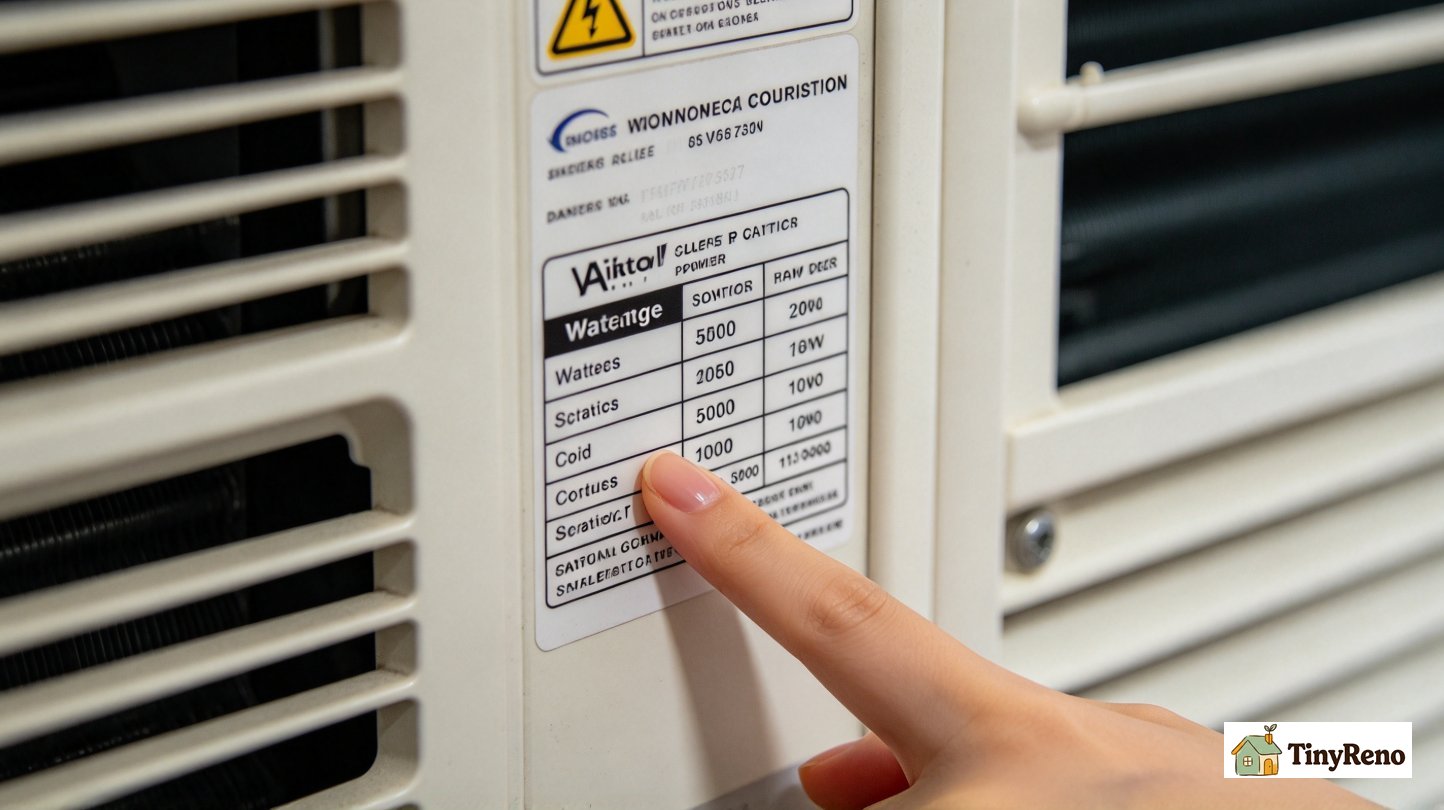
The first thing to know is that every appliance you own has a nameplate wattage printed on it somewhere, usually on a sticker on the back or the bottom. Refrigerators, microwaves, toaster ovens, space heaters, window air conditioners, vacuum cleaners, hair dryers, laptops — they all have stickers. The wattage printed on the sticker is the maximum the appliance will draw when it is running at full load, and the actual draw during normal use is somewhere between 30 percent and 100 percent of that number, depending on the appliance. A refrigerator, for instance, has a nameplate of somewhere between 100 and 800 watts, but it only draws that full wattage when the compressor is running, which in a modern fridge is about a third of the day. The two-thirds of the day when the compressor is off, the fridge is drawing almost nothing. The nameplate is the ceiling, not the average. The ceiling is what you need to know if you are worried about tripping a breaker, and the average is what you need to know if you are worried about your bill. Both numbers come from the same sticker.
The second thing to know is that you can find the wattage of any appliance you cannot see a sticker on by searching the make and model online. The U.S. Department of Energy maintains a public database of appliance energy use, and almost every manufacturer publishes the spec sheet for every product they make. If you have a microwave that says, on the back, "Panasonic NN-SD945S," and you cannot find the wattage on the sticker, you search "Panasonic NN-SD945S wattage," and the first result is the spec sheet, and the spec sheet says the microwave is 1,250 watts. The same is true for dishwashers, washing machines, dryers, televisions, gaming consoles, anything with a model number. The model number is on the sticker. The wattage is on the web. Both numbers are free.
The third thing to know is that you do not actually need the wattage of every appliance in the apartment to figure out what is using the most electricity. You need the wattage of the four biggest categories, which are space heating and cooling (depending on the season and the region), water heating, refrigeration, and lighting. Those four categories, in most U.S. apartments, account for somewhere between 60 percent and 80 percent of the total electric bill. The remaining 20 percent to 40 percent is everything else—the microwave, the toaster, the laptop charger, the TV, the vacuum, the dishwasher, the clothes washer—and that remaining slice is the slice you can usually reduce without much pain. Water heating is the one category in the big four that a renter usually cannot change directly, because the water heater belongs to the landlord and the fix is a landlord-level repair or replacement. The other three—space cooling, refrigeration, and lighting—are the ones a renter can actually affect.
Where the watts are leaking in your apartment — the second half of how many watts does it take to run a house
The first place the watts are leaking is the category nobody checks, which is standby power. Standby power is the electricity that appliances pull when they are turned off but still plugged in. The television in the living room, when it is "off," is pulling somewhere between 1 and 8 watts. The microwave, when it has nothing in it and the door is closed and the clock is glowing green, is pulling 3 to 5 watts. The laptop charger, when the laptop is not plugged into it, is pulling 0.5 to 1 watt. The coffee maker with the digital clock, the toaster oven with the display, the gaming console in rest mode, the printer, the modem, the router, the smart speaker — all of these are pulling something when they are not in use, and the total, when you sum all of them in a typical one-bedroom apartment, is somewhere between 30 and 80 watts running 24 hours a day. Thirty watts running for a day is 0.72 kWh. Eighty watts running for a day is 1.92 kWh. Multiply by 30 days, multiply by your utility rate, and you will have a number that surprises you, because it is a number you are paying for nothing.
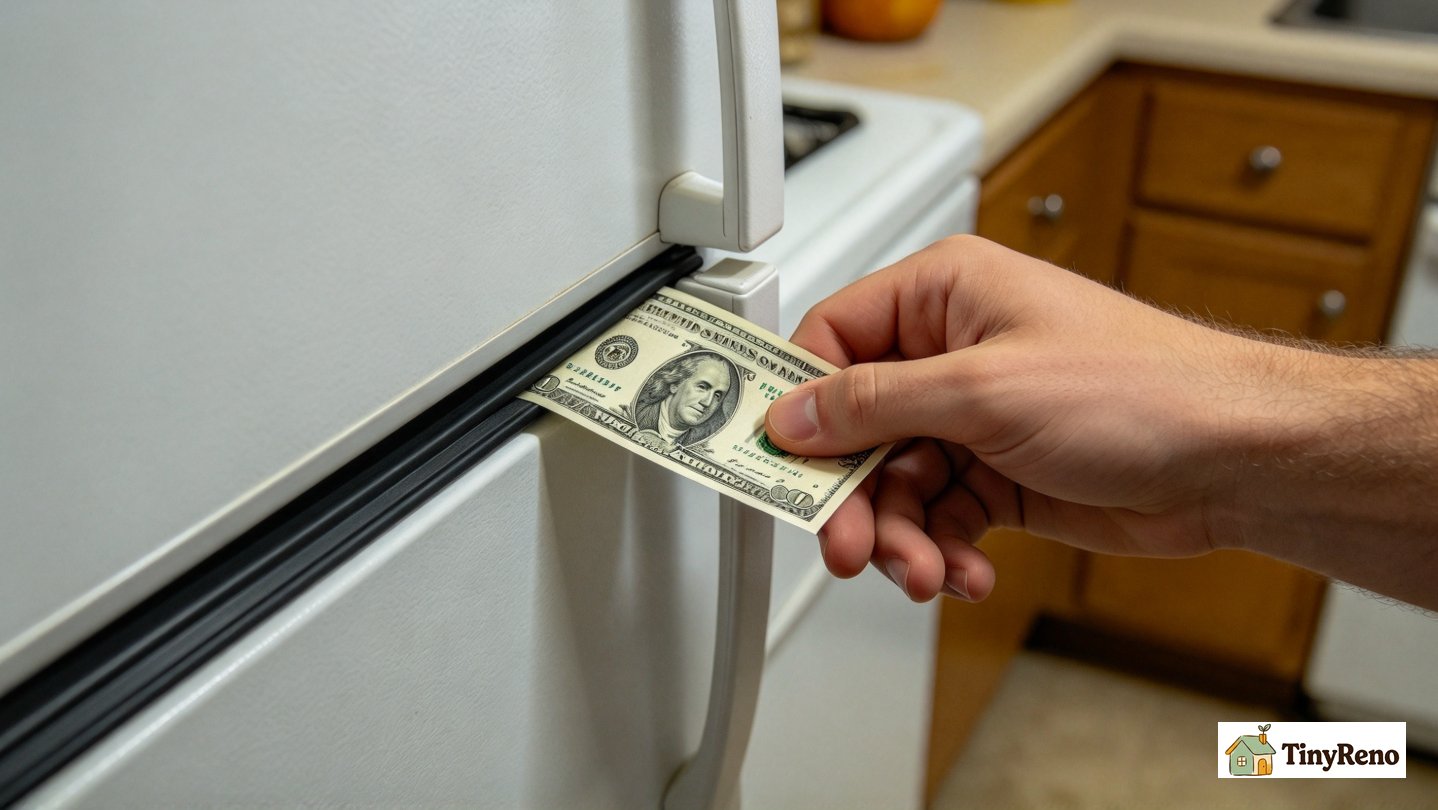
The second place the watts are leaking is the refrigerator door gasket, which is the rubber seal that runs around the edge of the door. If the gasket is brittle, or torn, or has a piece of food stuck to it, or has warped out of shape because the door was slammed one too many times, the refrigerator is pulling cold air out of itself and warm air into itself every time the compressor cycles on. The fix is a $4 gasket replacement from the hardware store and 15 minutes with a screwdriver, and the energy savings of doing it, on a refrigerator that has been leaking, is somewhere between 5 and 15 percent of the refrigerator's draw, which on a typical fridge is $3 to $8 a month. The diagnostic is the air and the dollar bill. Close the door on a dollar bill so the bill is half in and half out. Pull the bill out. If it slides out without any resistance, the gasket is not sealing and needs to be replaced. If you have to tug on the bill to get it out, the gasket is fine. This is a 30-second test, and it is the test I wish someone had told me about in week one instead of week twenty.
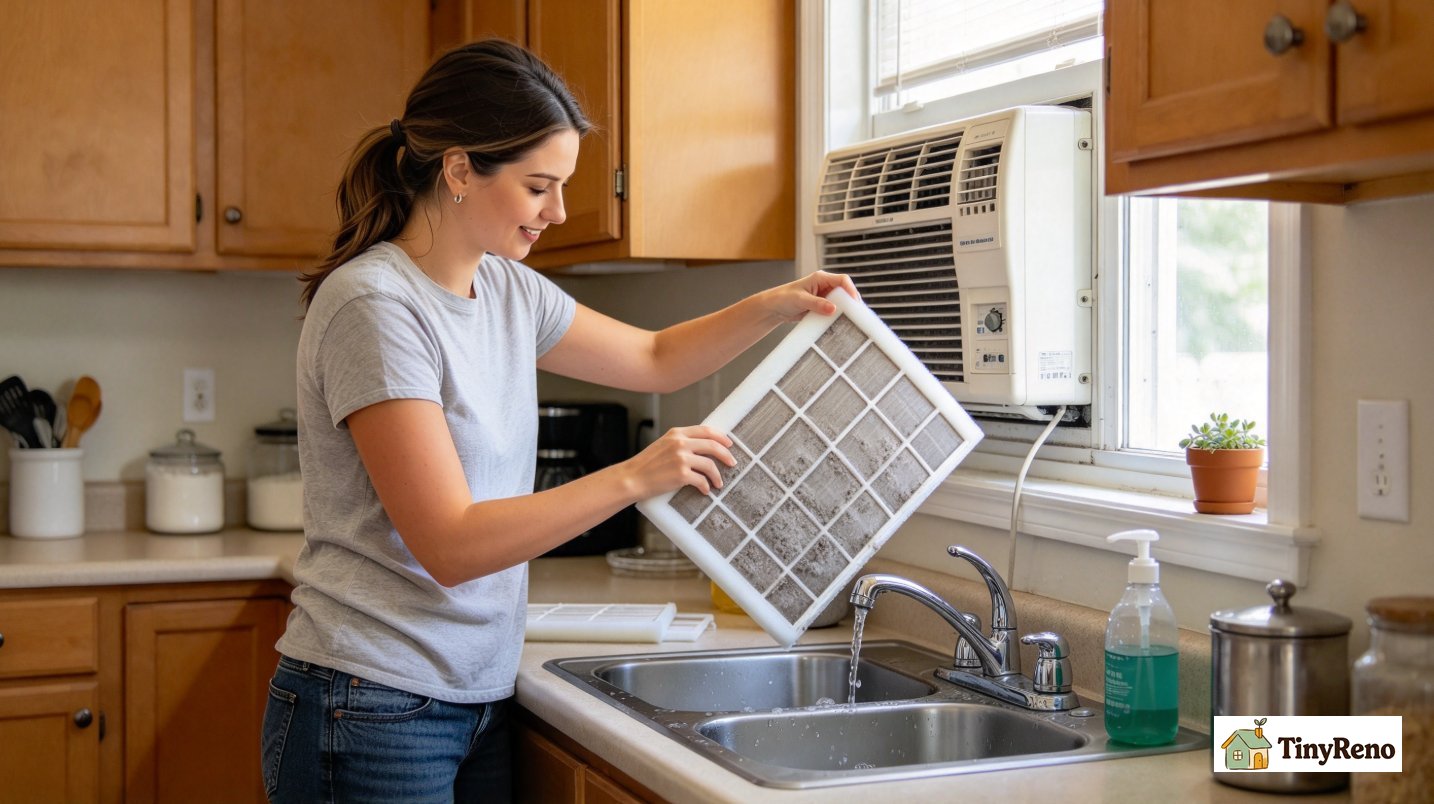
The third place the watts are leaking is the window air conditioner, if you have one. Window units are the most common source of the surprise high summer bill, and they are the most common source because most renters do not realize how many watts a window unit pulls, and because most renters do not clean the filter. The filter on a window unit, which is usually a thin foam rectangle on the side of the unit, is supposed to be washed once a month during heavy use. A clogged filter makes the unit work harder, draws more watts, cools less effectively, and shortens the life of the compressor. The fix is to slide the filter out, run it under the faucet, let it dry, slide it back in. The time is 3 minutes. The savings, on a unit that has been running with a clogged filter for a month, is somewhere between 10 and 20 percent of the unit's draw, which on a 1,100-watt unit running fourteen hours a day is somewhere between $4 and $8 a month. The diagnostic is the filter. If it is gray, wash it. If it is black, you should have washed it last month.
How to save watts without spending anything — the part of how many watts does it take to run a house that pays the bill
The cheapest savings is the one that does not require buying anything, which is the thermostat adjustment. The Department of Energy recommends 78°F in the summer and 68°F in the winter for the balance between comfort and cost. If you are running a window unit and you have been setting it to 72°F, raising the setpoint to 78°F will save you somewhere between 3 and 5 percent of the cooling cost for every degree you raise it, which on a $78 summer month means roughly $2 to $4 a month for a 1°F bump and $6 to $12 a month for a 3°F bump. If you are running central air and you have been setting it to 70°F, raising it to 75°F will save you more. The trick, if the temperature feels uncomfortable when you first raise the setpoint, is to give it a week. Most people adjust within seven days. The savings starts on day one.
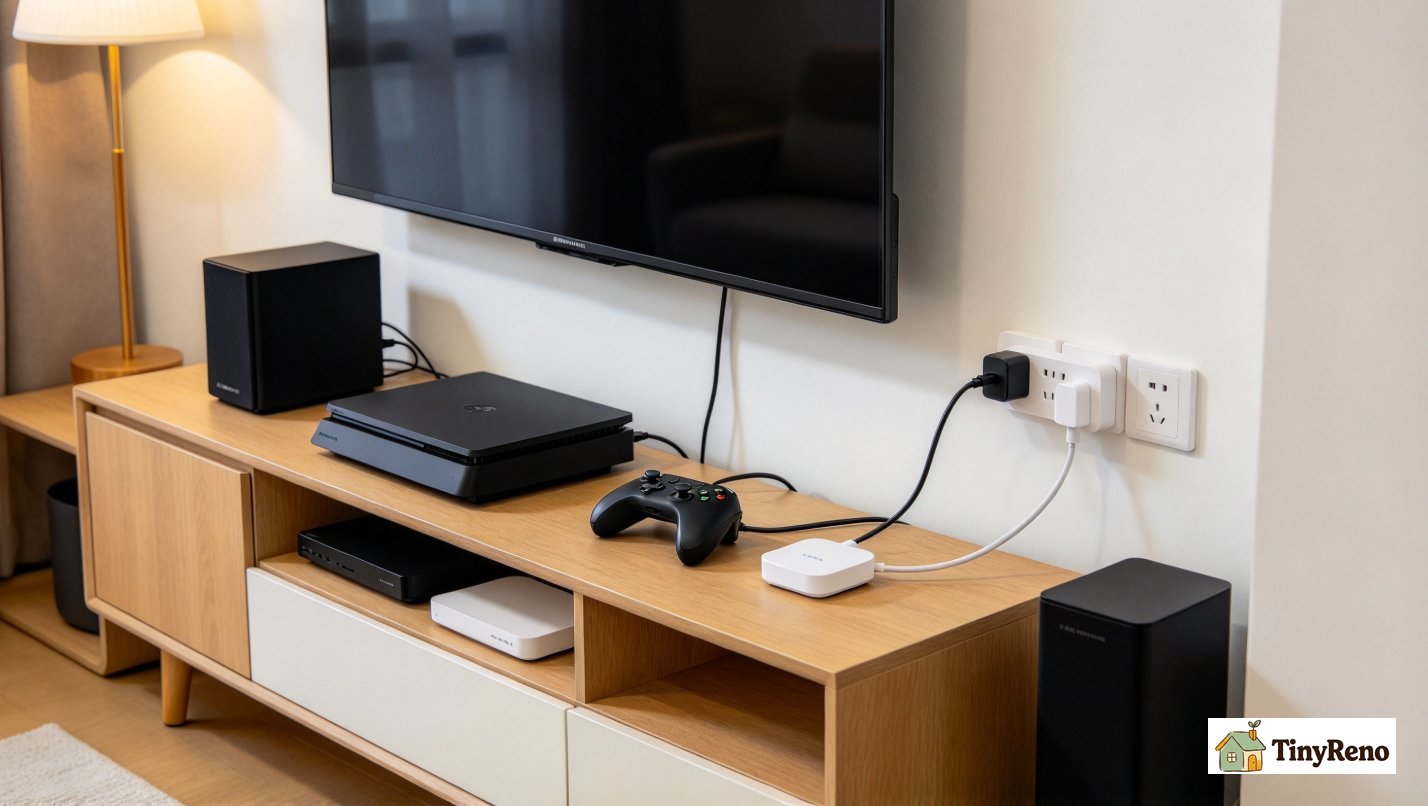
The second cheapest savings is the smart power strip, which is a power strip with a master outlet and several switched outlets. The master outlet is the one you actually plug the primary device into — the television, the desktop computer, the entertainment center. The switched outlets are the ones you plug the peripherals into — the cable box, the game console, the speakers, the printer. The smart power strip senses when the master outlet goes to zero draw (the television is off), and it cuts power to the switched outlets, which kills the standby draw on everything plugged into them. A good smart power strip costs $15 to $25. The standby draw it eliminates, on a typical entertainment center, is 5 to 15 watts running 16 hours a day, which is somewhere between $0.50 and $1.50 a month at typical U.S. utility rates. The payback period is about a year. The lifespan of the strip is five to ten years.
The third cheapest savings is the LED bulb swap, if you have not done it already. A 60-watt incandescent bulb, replaced with a 9-watt LED that produces the same lumens, saves 51 watts per bulb per hour of use. If you have ten bulbs in the apartment and you use them an average of four hours a day, that is 510 watts saved per hour of use, which is 2.04 kWh saved per day, which is about $0.25 a day at typical rates, which is $7.50 a month, which is $90 a year. The cost of ten LED bulbs is somewhere between $30 and $60. The payback period is six months to a year. The lifespan of an LED bulb is ten to twenty years. This is the savings that pays for itself fastest, and the savings that is the easiest to do badly, because the cheap LEDs from the dollar store flicker and produce ugly light, and the good LEDs from the hardware store cost a little more but actually last.
How to use the watts safely, which is the part the bill does not tell you
The first safety thing is the circuit amp math. Every circuit in your apartment is wired to a breaker that is rated for a specific amperage, which is printed on the breaker switch. The two most common ratings in U.S. apartments are 15 amps and 20 amps. A 15-amp circuit, in physics terms, can safely deliver 1,800 watts (15 amps times 120 volts equals 1,800 watts). A 20-amp circuit can safely deliver 2,400 watts. The breaker will trip when you exceed that number, which is the safety feature working as designed, but the breaker will not trip at exactly 1,800 watts. It will trip somewhere between 1,800 and 2,200 watts, and the closer you push to the limit, the warmer the wiring in the wall gets, and the warmer the wiring gets, the higher the risk of an electrical fire. The safe number to operate under, in practice, is 80 percent of the rated capacity, which means a 15-amp circuit should not be loaded above 1,440 watts continuous, and a 20-amp circuit should not be loaded above 1,920 watts continuous. If you want to know what is on a given circuit, you turn the breaker off and walk around the apartment to see what stopped working, and whatever stopped working is what is on the circuit.
The second safety thing is the extension cord math, which is the math that catches most renters. An extension cord is rated for a maximum wattage, which is printed on the cord itself or on the packaging. A typical household extension cord, the orange or brown one in the closet, is rated for either 1,625 watts or 1,875 watts. A space heater, the most common offender, pulls 1,500 watts on the high setting and 750 watts on the low setting. A space heater plugged into an extension cord, on the high setting, is operating at 92 percent of the cord's rated capacity. The cord is rated for that wattage only when it is fully uncoiled, and most renters coil the excess cord on the floor next to the outlet, which is the failure mode the cord rating does not account for. A coiled cord carrying 1,500 watts of current is the kind of cord that starts fires. The fix is to plug the space heater directly into the wall outlet, with the cord fully uncoiled, and to not run anything else on the same circuit while the heater is running. If the heater is on a 15-amp circuit and the outlet it is plugged into shares the circuit with the bedroom lights and the bedroom outlets, the bedroom lights and outlets need to be off while the heater is on, or the breaker will trip and the wiring will have already been running hot.
The third safety thing is the GFCI test. A GFCI outlet is the outlet with the two buttons in the middle, usually labeled TEST and RESET. GFCI outlets are required by code in bathrooms, kitchens, laundry rooms, garages, and outdoor outlets, which means your kitchen and your bathroom almost certainly have them. The GFCI is the outlet that cuts power in milliseconds if it detects current flowing where current should not be flowing, which is the situation that kills people. The TEST button on the GFCI simulates that situation and verifies that the GFCI is functioning. The recommendation, every month, is to push the TEST button and confirm the outlet loses power, and then push the RESET button and confirm it comes back. The time is 10 seconds. The diagnostic is whether the outlet actually loses power when you press the button, which is something you should test and not assume, because GFCI outlets fail, and a failed GFCI outlet looks like a working GFCI outlet until you test it.
The fourth safety thing is the old aluminum wiring check, if you are in an older building. Buildings wired between the mid-1960s and the mid-1970s in the U.S. sometimes used aluminum wire instead of copper wire for the branch circuits. Aluminum wire, at the connection points (the outlet, the switch, the junction), expands and contracts more than copper when it heats and cools, which over years causes the connection to loosen, which causes resistance, which causes heat, which causes fire. The visible sign of an aluminum-wired outlet is the word ALUMINUM or AL printed on the wire insulation near the screw. If you see that, the outlet or switch should be inspected by an electrician and the connections upgraded to a system called COPALUM, which is a crimped copper pigtail that mitigates the expansion problem. The fix is not a renter fix. The fix is a landlord fix, and the diagnostic is the wire label, and you should mention it to your landlord in writing within seven days of noticing it, because that is the kind of habitability problem that habitability codes put on the landlord's side of the ledger.
The bill that came after, and what the before-and-after actually looked like

After the July bill, I did five things. I raised the thermostat from 72°F to 78°F. I installed two smart power strips, one on the entertainment center and one on the desk where the laptop and the monitor and the printer live. I cleaned the window unit filter. I bought a $4 refrigerator gasket and replaced the one on the fridge, which took about 20 minutes including the trip to the hardware store. I tested every GFCI outlet in the apartment with the TEST button, and one of them in the bathroom failed to cut power, which I wrote down and emailed to my landlord the same day. None of these things were expensive. None of these things took more than an hour. The thermostat change cost $0. The smart strips cost $40. The gasket cost $4. The filter cleaning cost $0. The GFCI test cost $0. The total out-of-pocket was $44, and the landlord replaced the failed GFCI outlet at no charge the following Tuesday.
The August bill, which was the first full month after all five changes, was $167. The July bill had been $243. The difference was $76, a 31 percent reduction. But $76 saved on a $243 baseline is not the same as $76 saved on every bill going forward. The September bill, when the heat comes down, will be lower for two reasons—my changes and the weather—and I should not give all the credit to the changes. My honest estimate is that my changes saved somewhere in the $25 to $40 range, between 10 and 17 percent, and the rest of the August savings was weather. The $30 range in my pocket every month is real, and it is the kind of money a renter can mostly fix with an afternoon.
The honest accounting is also that I never would have found the dollars without finding the watts first. The watts table is not the article. The watts table is the foundation that lets you do the savings, and the safety checks, and the before-and-after, and all three of those depend on knowing where the watts are going, which is what I want to leave you with: spend a Sunday with the back of your refrigerator and your utility bill and the residential energy breakdown from the EIA, and figure out which category is your biggest, and then make one change in that category this month, and then see what the next bill says. The watts are not the answer. The watts are the question that lets you find the answer. The answer to how many watts does it take to run a house, for any house you happen to be renting, is the answer that comes out of the spreadsheet you build from your own bill, your own stickers, and your own Sunday afternoon — and the answer is almost always smaller than the bill you were afraid of, once you actually do the math.


Discussion (0)
Sign in to join the discussion